

































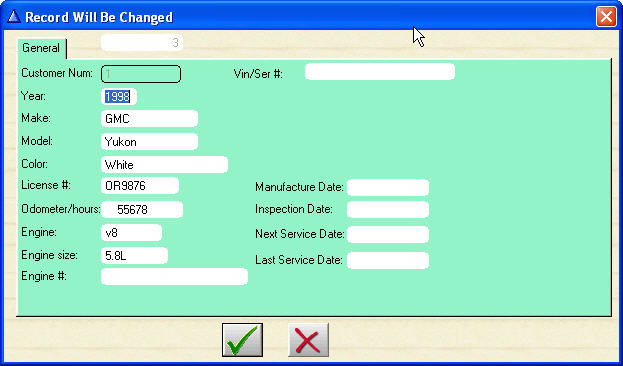
Auto or Machine Info (can be turned on or off)
A customer can have many vehicles as you want.
To pick, or add a new vehicle or machine click on the Lookup or Add button.
Once you pick the vehicle or machine the information will be saved with the estimate or work order. Use the options in setup to turn auto options on or off as desired.
Information on this can be customized by turning options ON or OFF in the company setup form.
Turn ON or OFF Options
Don't want Vehicle options?
Don't want insurance information?
Don't want engine options?
Turn them off!
Of course if you want them, turn them on!
A customer can have many vehicles as you want.
To pick, or add a new vehicle or machine click on the Lookup or Add button.
Once you pick the vehicle or machine the information will be saved with the estimate or work order. Use the options in setup to turn auto options on or off as desired.
Information on this can be customized by turning options ON or OFF in the company setup form.
Turn ON or OFF Options
Don't want Vehicle options?
Don't want insurance information?
Don't want engine options?
Turn them off!
Of course if you want them, turn them on!
Look up customers by Company name, Last name, License number or Customer number.
The make, model and year of their vehicle or machine is shown on the look up screen.
A customer may have several vehicles on their file. You can change the auto or machine you are working on with the click of the mouse.
The make, model and year of their vehicle or machine is shown on the look up screen.
A customer may have several vehicles on their file. You can change the auto or machine you are working on with the click of the mouse.
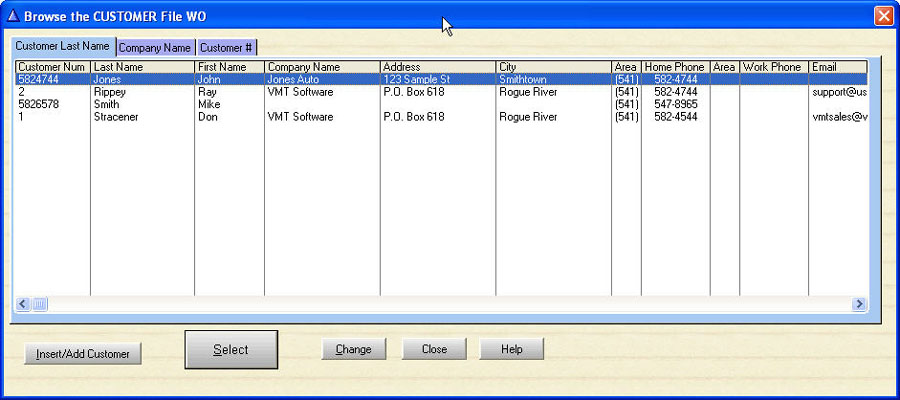
Customer Lookup
(c) Copyright 2013 - VMT Software